CrestAndroid appWorks offlineFree

Crest: A gym log thatkeeps working without a signal

A free gym log that works with no signal. Log a set, rest with the phone locked, and see your progress. No account needed.

Get it on Google Play  (opens in new tab)

Free on Google Play. No account, no sign-in.

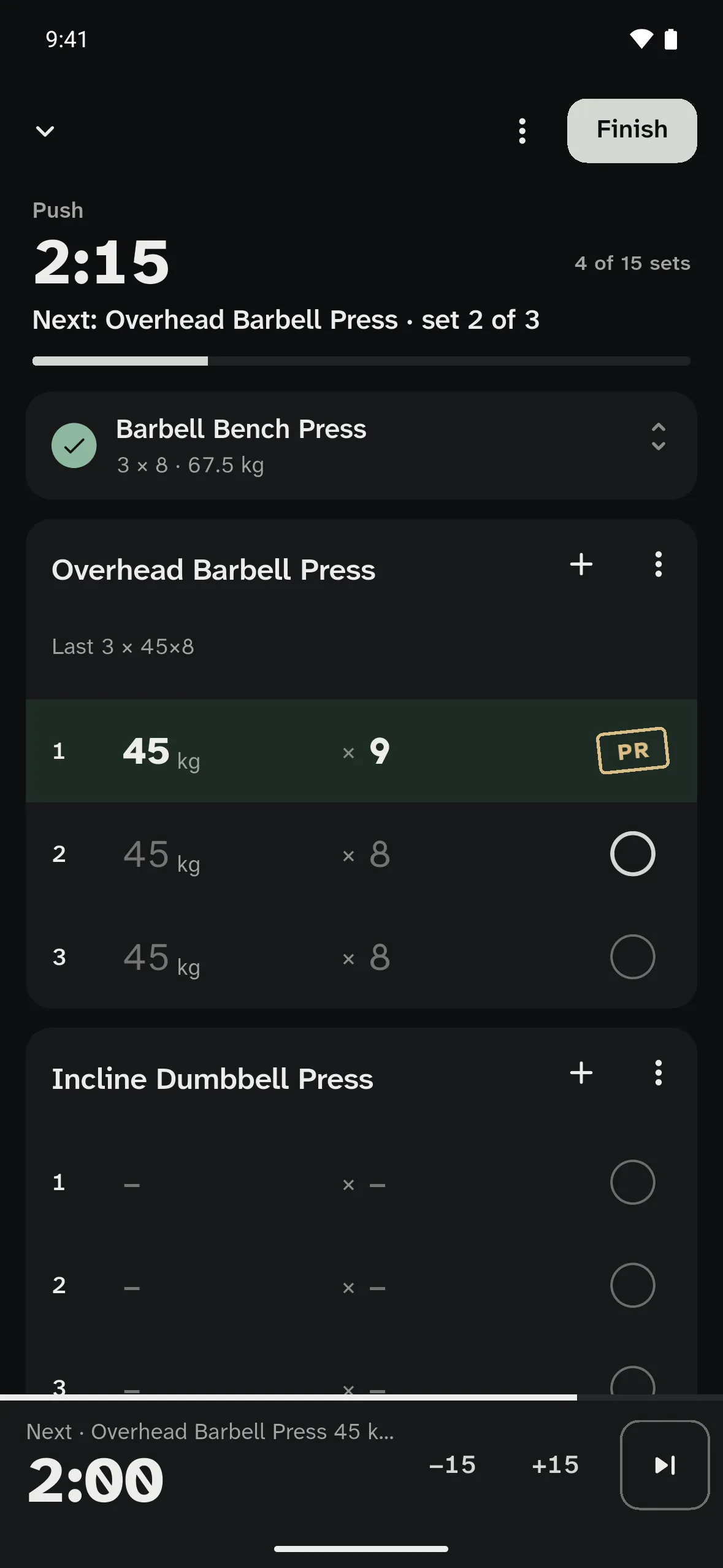
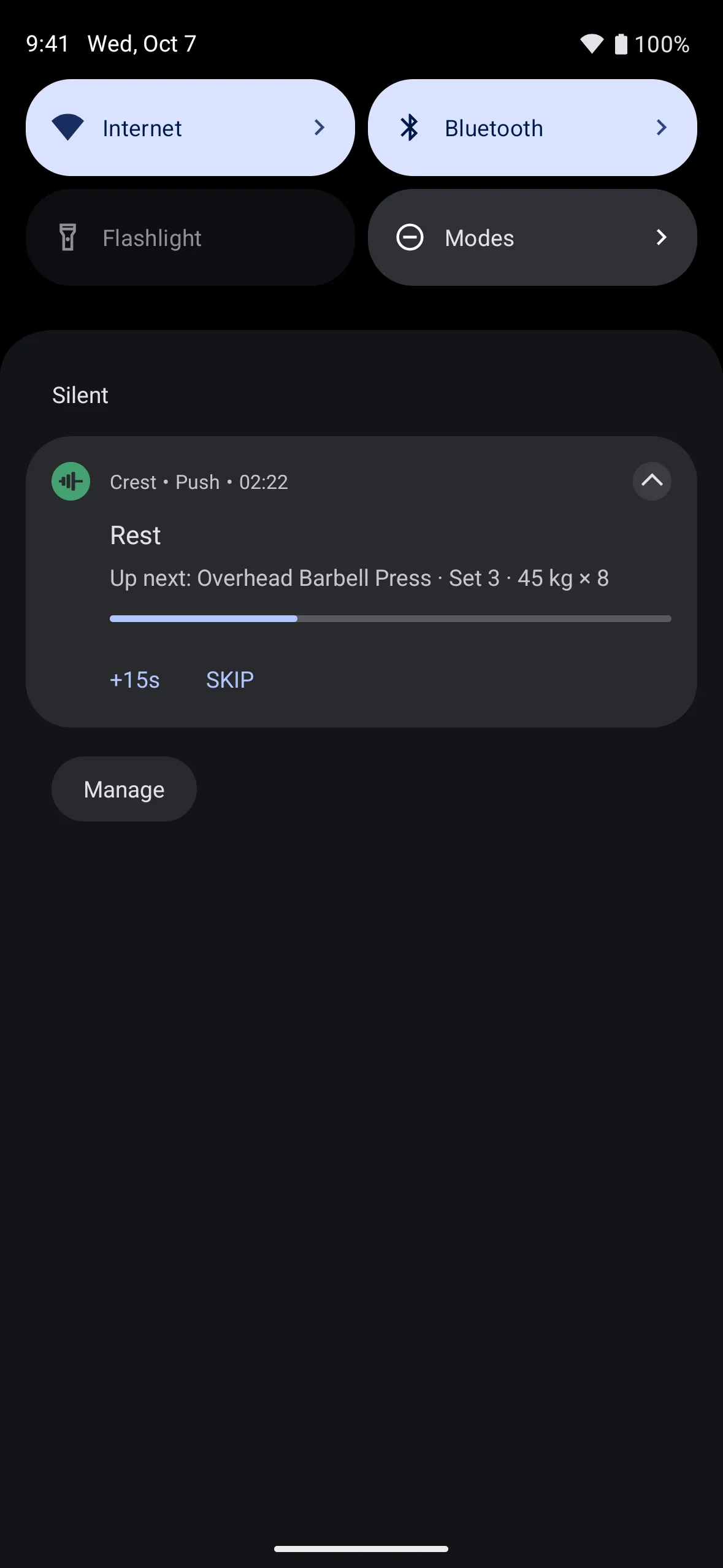
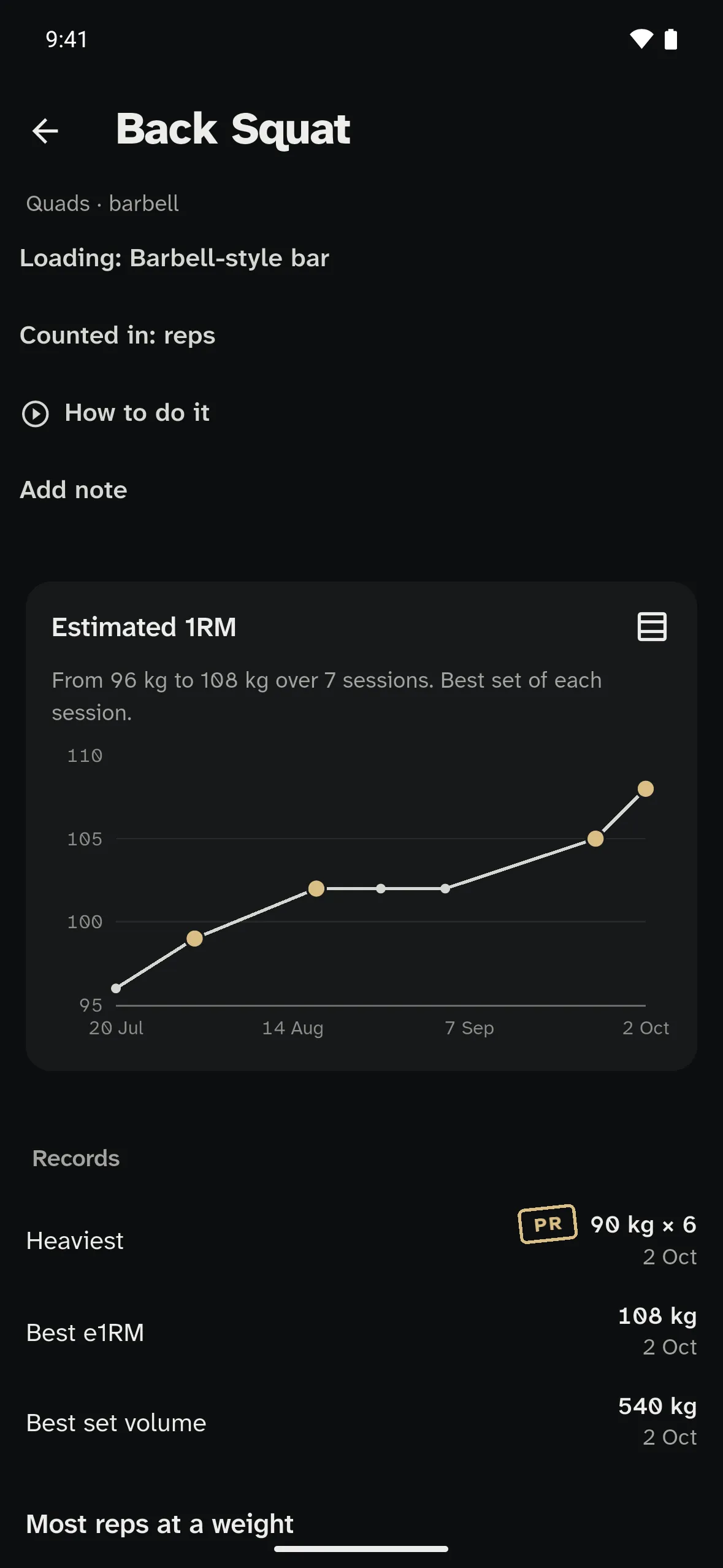
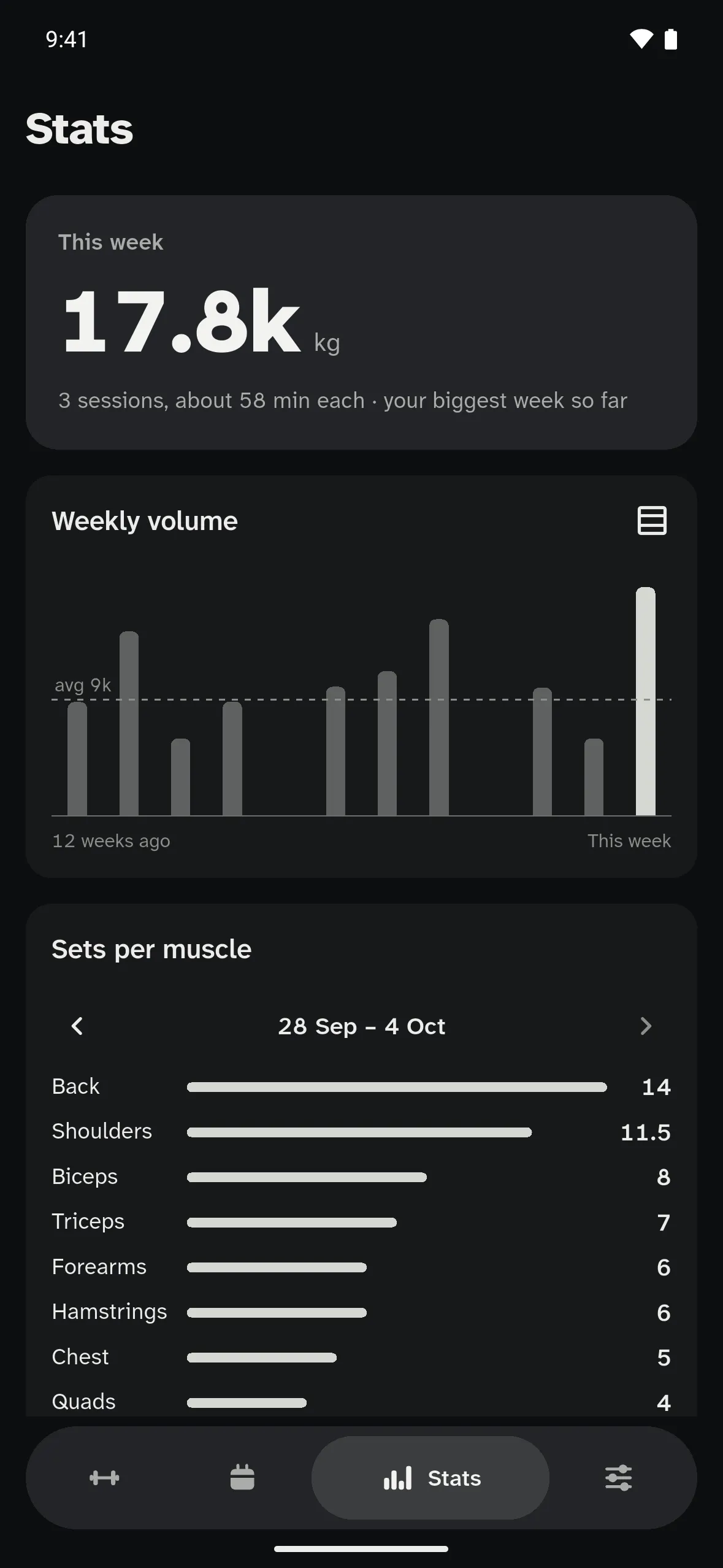
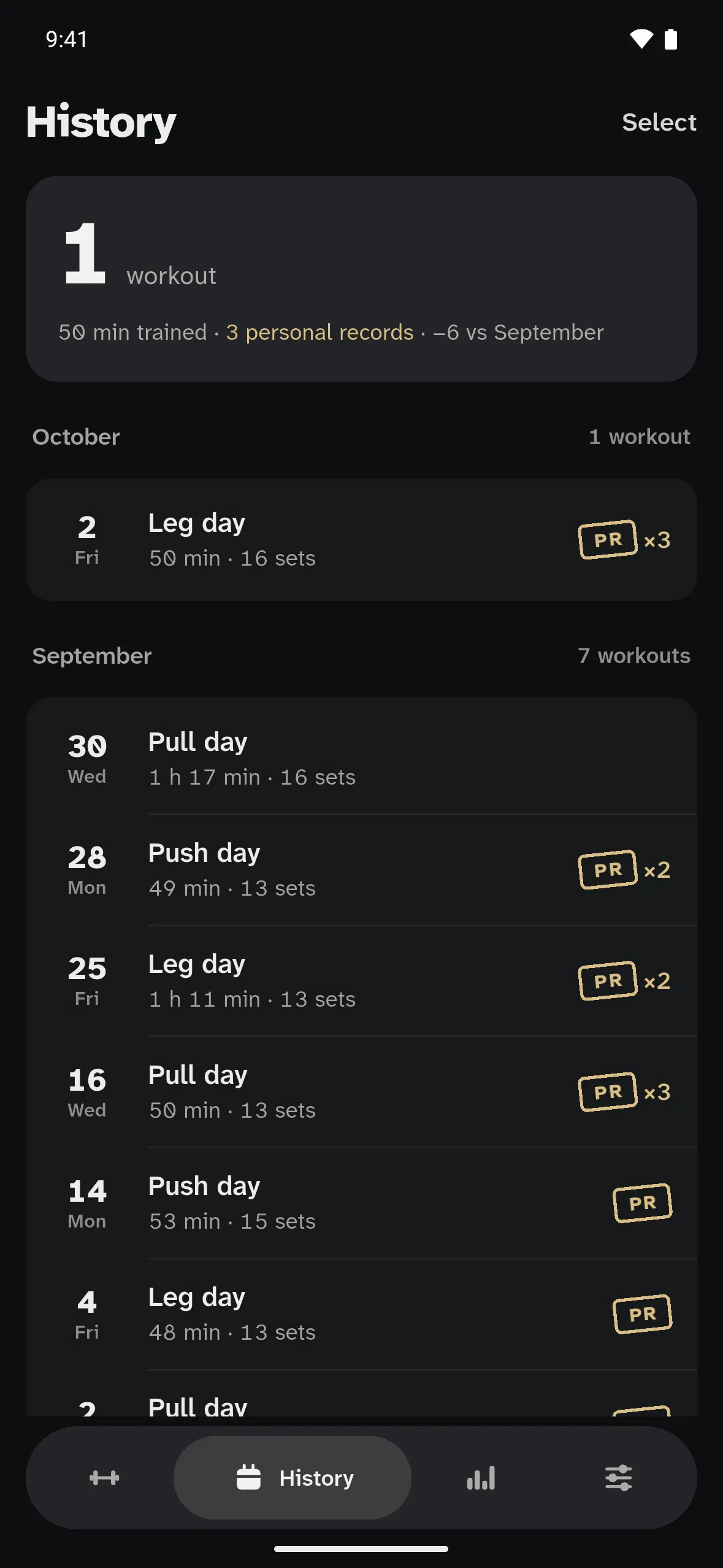
Crest active workout: the Push session timer, a finished exercise folded away, a new PR on the next lift, and the rest timer at the bottomCrest's ongoing workout notification during rest: the next set, a progress bar, and +15s and Skip buttonsCrest exercise detail for Back Squat: estimated one-rep max trend chart and personal recordsCrest Stats screen: weekly volume chart and sets per muscle, in the dark themeCrest History screen: monthly totals and a list of past workouts with personal records
Status
Live on Google Play
Everything saves on the phone
No signal needed
Accounts or sign-ups
None
Built-in exercises
147

The problem

Between sets you have about a minute. Many gym apps want a sign-in, a connection and a few taps through menus before they'll save a set, and a basement gym often has one bar of signal. So people stop logging, or type weights into a notes app. Crest does the one job: log the set, start the rest timer, lock the phone, and keep going.

Tick a set. Tap a weight to add 2.5 kg.

Push

2:153 of 15
Barbell Bench Press3 × 9 · 65 kg

Overhead Barbell Press

Target 45 kg × 9

  1. 1× 9
  2. 2× 9
  3. 3× 9

Incline Dumbbell Press

Target 22.5 kg × 10

  1. 1× 10
  2. 2× 10
  3. 3× 10
  • Filled in from the planEach set is ready to tick.
  • Rest starts by itselfNudge it or skip it.
  • Records spotted as you liftTap a weight to add 2.5 kg.
  • Done exercises fold awayThe next one opens.
Crest's workout screen. Sets come filled in from the plan, so logging one is a single tap. The rest timer starts on its own, a set heavier than your best gets a PR badge, finished exercises fold away, and Finish saves the session on the phone.

What's in it

Crest is a workout log for people who train in gyms with bad signal.

  • Log weight and reps for each set. A new personal best is marked as you log it.
  • The rest timer runs in the notification, with +15s and Skip, so the phone can stay locked.
  • Each lift keeps its estimated one-rep max and its records.
  • Weekly volume and sets per muscle, to see if training is balanced.
  • Past workouts by month, with records marked.
  • 147 exercises built in. Back up to Google Drive or a folder if you want to.

What this means for your business

If your team or customers need an app that works where the signal is poor, like a gym, a site visit or a warehouse, this is how I'd build it: everything saved on the phone first, quick to use with one hand, and nothing lost when the connection drops. Tell me what your people need to record.

Under the hood

For developers and anyone hiring: how it's built, and the decisions behind it.

Role
Design and build
Scope
Mobile app, 2026
Stack
Flutter, Dart, Drift, SQLite, Riverpod

Saved on the phone first

Nothing is lost when the signal drops, because nothing waits for it.

Every set is written to a database on the phone the moment it's logged. There's no server and no account, so there's nothing to sync before you can move on. Backup is a choice, not a requirement: export to Google Drive or a folder, and restore from it on a new phone.

How it's built

Active sessionDrift / SQLiteHistory and PRsAnalyticsLive notificationBackup

Select a part to see what it does.

  • Active sessionLogs sets against the current workout and drives the rest timer.→ Drift / SQLite, Live notification
  • Drift / SQLiteLocal source of truth for exercises, templates, sessions and set logs.→ History and PRs, Analytics, Backup
  • History and PRsReads finished sessions and works out personal records.
  • AnalyticsAggregates volume and progress over time into charts.
  • Live notificationShows the running session and rest countdown outside the app.
  • BackupOptional export to Google Drive or a local folder, and restore.